Multi-Select Transaction Summary
Enhancement

We recently brought running totals to the Transactions tab, so any search or filter shows the total of your results. Now you can multi-select specific transactions on iOS to see their running total in the summary card, and take bulk actions on all of them at once.
It's easier than ever to get to the transactions you care about and see their total right away.
This update also brings the ability to easily browse your past Month in Review and Year in Review reports right from the Transactions filters.
Transaction Summary & Improvements
Enhancement

The latest release adds running totals to Transactions on iOS and ships a round of polish across apps.
New
iOS
Search or filter in the Transactions tab to see a running total of your results. This includes total spent, total income, and net between the two. Multi-select totals are coming up next.
macOS
The Categories tab now uses the same colors across progress bars and charts so it's easier to match a category to its spending at a glance.
Improvements
Selling a full position in Investments now closes it out completely.
Rollovers are faster across platforms and update smoothly when a category is removed or an account's Dashboard status changes.
In Recurrings, the "Set to any day of the month" button no longer overlaps the transaction list.
Custom emojis and edits now appear instantly in Recurrings.
Beta Updates & Improvements
Enhancement

Over the past month, we’ve been focused on performance improvements across all platforms. The team has also been hard at work continuing to develop the Money Assistant.
Improvements
iOS
Rollovers compute much fasterx and amounts stay accurate instead of going stale after changes. Recurring transactions also update quicker, so your edits take effect right away.
Web
Speed improvements have landed on the web platform so pages load and respond faster. Numbers are now consistent across platforms, so what you see on web matches iOS, iPadOS, and macOS.
Money Assistant (in beta)
The Money Assistant can create, update, and delete categories, budgets, transactions, recurring transactions, and rules. It surfaces proactive suggestions on its own, like category recommendations and budget tweaks, and you can dismiss, approve, or dig into any suggestion further. In addition, charts now appear right in conversation to help bring those suggestions and insights to life.
The launcher also includes context, giving the assistant a better sense of what you're looking at when you start a conversation. Plus, you can fine-tune the assistant’s features from Settings.
MCP (in beta)
The list of what our MCP can reference has expanded to include categories, transactions, monthly spend and income, recurrings, and tags. If you have beta access, you can get answers about your budgets and accounts right in your favorite AI tool, without switching apps.
Web: Split Transactions
Feature

We rebuilt split transactions from the ground up for the Web app.
Split a transaction equally to divide the amount automatically, or customize the split by dollar amount or percentage. Shortcuts make it easy to split into multiple transactions, or quickly spread a transaction across 3, 6, or 12 months. The new split icon makes it easy to see which transactions have been divided, and the original un-split amount is always on record so you have the full picture.
A new split experience, now on Web. The classic split transaction experience is available on iOS, macOS, and iPadOS. Learn more.
MCP
Beta

We believe your financial data should work where you do, so we’re building an MCP. Now available in beta, it connects Copilot Money securely and directly to top AI tools. Get answers about your spending, budgets, and accounts without switching apps or copying numbers around.
This is the first step toward something bigger: your financial data, available for the tools and workflows you already use. Read-only to start, and tested for Claude, ChatGPT, and Codex CLI. Sign up for the beta waitlist here.
Your Money Assistant
Beta
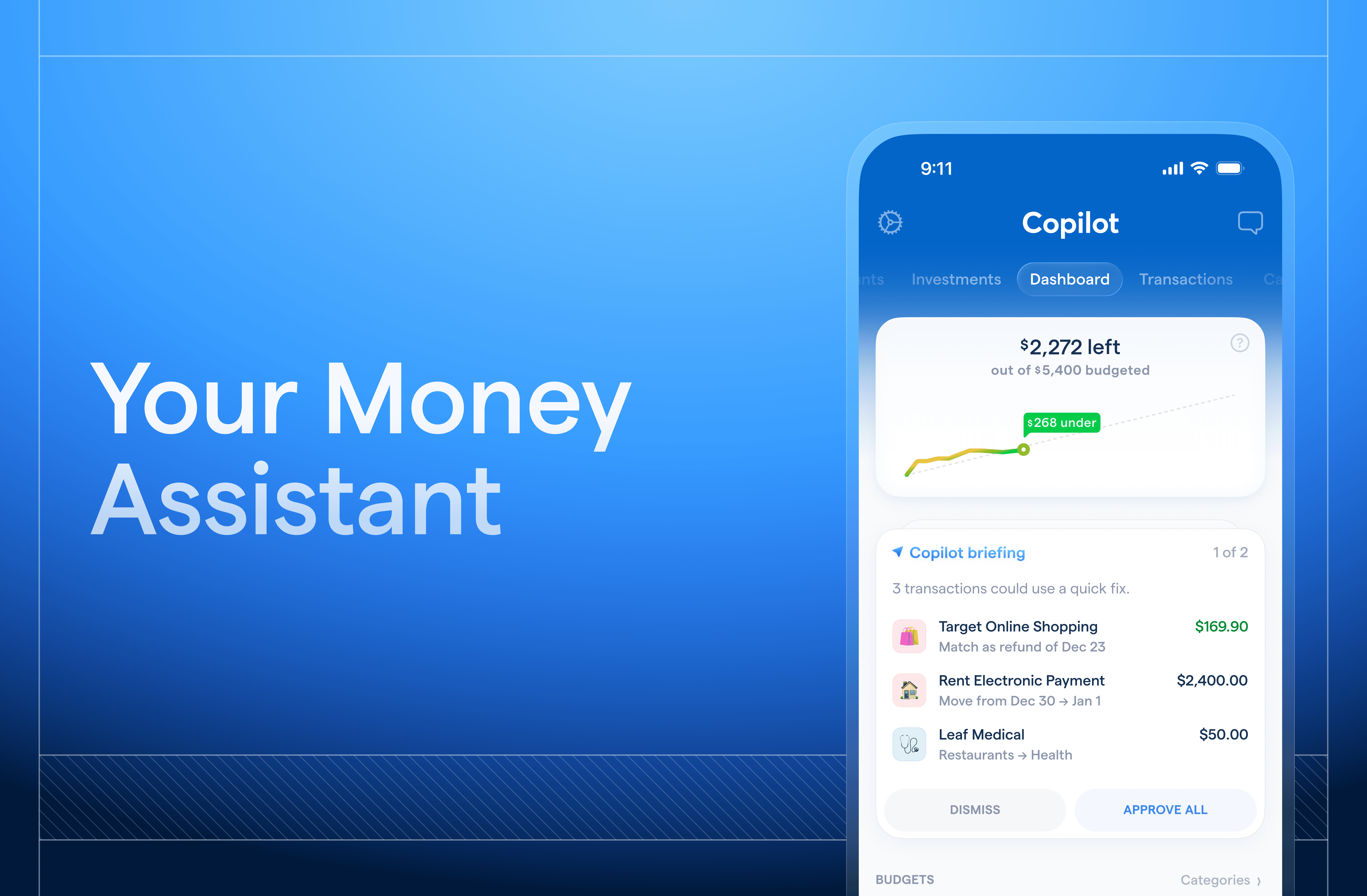
Managing money well is a constant job, and life doesn't stop to let you do it. Meet: your personal money assistant — a proactive sidekick that keeps an eye on your finances, connects the dots, and surfaces what matters — before you have to go looking for it. It goes beyond chat, something closer to having a financially sharp friend who never stops paying attention.
We've been thoughtful about how this fits into the app you know and love, designed to feel like it’s a natural extension of the Copilot Money experience. It’s working for you, from speaking in the tone you prefer to checking for approval before any edits. Nothing happens without your say-so. Learn more.
If you want to be among the first to try it and help shape where it goes, sign up for the beta waitlist.